
When a Phone Repair Technician Comes to You

Your screen cracks before a busy workday. Your battery drops from 40% to dead before lunch. Your phone will not charge, and every errand, message, map, payment, and family update suddenly gets harder. When a phone repair technician comes to you, the fix does not have to mean rearranging your day around a repair-store visit.
That is the point of mobile repair. Instead of driving across town, standing in line, and returning later to pick up your device, you choose a location that works for you. A certified technician meets you at home, at the office, at your apartment, at your business, or at another convenient public location and works to get your device back in your hands fast.
Why a Phone Repair Technician Comes to You
A broken phone is rarely just a broken phone. It may be your work camera, your navigation system, your digital wallet, your school connection, or the number your family uses to reach you. Going without it for hours can create a bigger disruption than the repair itself.
Mobile service removes the extra steps. You do not need to find a store, wait through traffic, sit in a lobby, then make a second trip for pickup. You can keep working nearby, handle tasks at home, or stay with your family while the repair is completed.
For Atlanta and Gwinnett customers, that flexibility matters. A technician can meet you where your day is already happening, whether that is an office parking area, a local business, an apartment complex, or your kitchen table. It is practical help for a problem that cannot wait.
Common Repairs That Can Be Handled On-Site
Most phone damage starts with a moment people know immediately: a drop on concrete, a phone left on a car roof, a cable that only works when held at an angle, or a battery that cannot make it through the afternoon. The good news is that many of these issues can be diagnosed and repaired during a mobile appointment.
Cracked and Broken Screen Repair
A cracked screen can be more than cosmetic. Sharp glass can be uncomfortable to use, touch response may become unreliable, and small cracks can spread quickly. If the display is black, flickering, showing lines, or no longer responding to touch, a screen replacement may be needed.
An on-site technician can assess the condition of the display, replace the damaged part when appropriate, and test touch function, brightness, cameras, speakers, and other essential features before the appointment is complete.
Battery Replacement for Phones That Die Too Soon
If your phone overheats, shuts down unexpectedly, drains quickly, or needs to stay connected to a charger all day, the battery may be worn out. That is especially frustrating when you rely on your device for calls, rides, work apps, two-factor sign-ins, or school communication.
A battery replacement can restore the dependable everyday use you miss. It is not always the answer, though. A technician should also consider charging behavior, software activity, and possible damage before recommending the right repair.
Charging Port, Camera, and Audio Problems
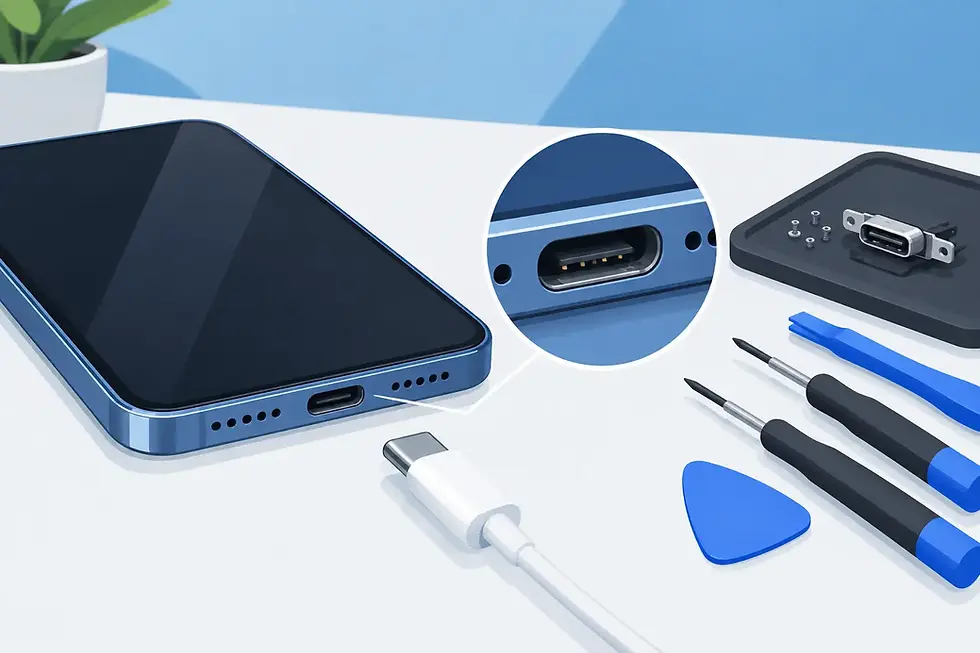
Charging trouble does not always mean the port is broken. Lint, corrosion, cable issues, and internal damage can all cause a loose or unreliable connection. A professional assessment helps separate a simple cleaning need from a part that requires repair.
The same goes for blurry cameras, speakers with low sound, microphones that cut out during calls, damaged buttons, and back glass that has shattered after a drop. These are everyday problems, but they still need careful work and quality replacement parts. A rushed repair can create new issues, so professional installation matters.
More Than iPhone Screen Repairs
People often search for help after an iPhone screen breaks, but mobile repair should not stop there. IkePhones services major device brands and common models, including Apple iPhone, Samsung Galaxy, Google Pixel, Motorola, OnePlus, and other Android phones.
Tablets deserve the same attention. A broken tablet screen can interrupt remote work, homework, streaming, business check-ins, and travel plans. Apple Watch problems can also be disruptive when a cracked display, weak battery, or charging issue affects a device you wear every day.
The repair approach depends on the make, model, damage type, and availability of the right part. Sharing your device model and a clear description of the problem when scheduling helps the technician arrive prepared for the repair you need.
What to Expect From an On-Site Repair Visit
Mobile repair should feel simple from the start. First, explain what happened and identify your device model. Mention useful details, such as whether the screen still lights up, whether the phone was exposed to water, or whether it charges only at a certain angle.
Next, choose a meeting location where you can safely hand off the device and where the technician has room to work. Home and office appointments are common, but a convenient public meeting location can work well when you are between commitments. The best spot is one that is safe, accessible, and gives you time to test the phone after service.
At the appointment, a certified technician examines the device and confirms the repair path. Once the repair is finished, the device should be tested for the functions connected to the work performed. For example, after a screen repair, test the touch response, display, front camera, proximity sensor, and face recognition features when applicable. After a charging repair, confirm that the cable connects securely and that the phone charges normally.
When Mobile Repair Is the Smart Choice
On-site repair is a strong fit when the problem is straightforward and your schedule is tight. It is especially useful for busy professionals who cannot leave work, parents managing a full household, students with a damaged device before class, and small-business owners who need their phone for customers and payments.
It also works well when the device is usable but frustrating. Maybe the screen is cracked but still visible. Maybe the battery drains too quickly, or the charging port has become unreliable. Taking care of the issue early can prevent a manageable problem from becoming a complete device failure.
There are situations where repair needs more investigation. Serious water exposure, severe frame damage, repeated restarting, no power, or signs of battery swelling may require a deeper assessment. Do not keep charging a phone with a swollen battery or one that gets unusually hot. Turn it off if possible and seek professional help promptly.
A Few Steps Before the Technician Arrives
If your device still works, back it up before the appointment. This is a smart habit before any electronics service, especially if there is extensive damage or a software concern. You should also know your passcode or account login if testing requires it, although you should only provide access when necessary and with a clear understanding of why it is needed.
Remove cases, accessories, and magnetic mounts if you can. If the screen is badly shattered, avoid pressing hard on it or picking at loose glass. For water-damaged devices, do not use heat, rice, or repeated charging attempts. Those steps can make the situation worse.
Get Your Device Back Without Losing Your Day
You should not have to choose between getting your phone fixed and handling everything else on your schedule. A mobile technician brings professional repair to the place that makes sense for you, with the goal of returning a device you can rely on.
If a cracked screen, weak battery, charging issue, camera problem, or damaged tablet is slowing you down, schedule an on-site repair appointment and let the fix come to you.


Comments