
Motorola Phone Repair Near Me That Comes to You

A cracked Motorola screen can turn a normal workday into a scramble. A battery that drops from 40% to dead before lunch, a phone that will not charge, or a camera that will not focus can be just as disruptive. When you search for Motorola phone repair near me, you need more than a nearby counter. You need a qualified technician who can fix the problem quickly and meet you where your day is already happening.
IkePhones brings professional device repair to homes, offices, apartments, workplaces, and convenient meeting locations throughout Atlanta and Gwinnett County. We come to you, so a damaged phone does not have to mean taking time off, sitting in traffic, or waiting in a repair-shop line.
What a Motorola repair visit can fix
Motorola phones are built for everyday use, but drops, worn components, pocket debris, moisture, and normal aging eventually take a toll. The right repair depends on the symptom, the phone model, and the condition of the device. A certified technician can assess the issue and recommend a practical repair rather than asking you to guess what went wrong.
Cracked, black, or unresponsive screens
A cracked screen is not always only cosmetic. Splintered glass can make the phone uncomfortable to use, while dark spots, flickering, colored lines, or touch areas that stop responding often point to display damage underneath the glass. Screen replacement can restore clear viewing and dependable touch response for many Motorola models.
If the phone still rings or vibrates but the display stays black, the screen may be the issue. If it does not power on at all, the cause could be different. A proper assessment helps avoid replacing the wrong part.
Batteries that drain too fast
Battery performance changes gradually, which makes the problem easy to ignore until it becomes urgent. You may notice your Motorola phone needs multiple charges a day, shuts down unexpectedly, gets unusually warm, or loses a large percentage of power while sitting unused.
A battery replacement can make sense when battery health is the cause. However, fast battery drain can also come from a software issue, an app running in the background, weak cellular signal, or charging trouble. An experienced technician should look at the full picture before recommending a repair.
Charging-port problems
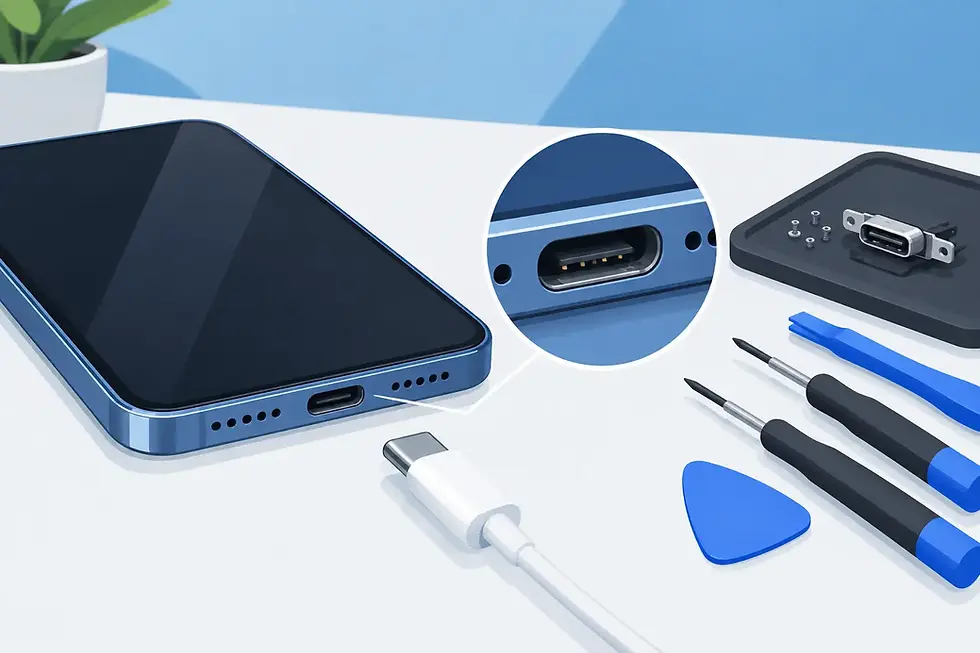
When a charging cable only works at a certain angle, keeps disconnecting, or will not seat fully in the port, lint and debris may be blocking the connection. In other cases, the charging port itself may be worn or damaged. Repeatedly forcing a cable into the port can make a small issue worse.
A technician can inspect the port, check for damage, and determine whether cleaning, a cable replacement, or charging-port repair is the right next step. If your Motorola supports wireless charging, that feature can sometimes help you stay connected temporarily, but it does not solve a damaged wired port.
Camera, speaker, microphone, and button issues
A Motorola phone is usually your camera, navigation tool, alarm clock, work line, and connection to family all in one. That is why a blurry camera, muffled speaker, microphone failure, or stuck power button can be more than a minor annoyance.
These problems may be caused by a damaged component, debris in an opening, moisture exposure, or software behavior. Camera repair, speaker and microphone repair, and button repair are available for many common Motorola issues after the device has been evaluated.
Why on-site Motorola phone repair near me matters
The closest store is not always the most convenient option. If you work from home, manage a business, care for children, commute across town, or depend on your phone for deliveries and payments, fitting in a store visit may be the hardest part of getting a repair.
With mobile service, the repair appointment can fit around your schedule. A technician can meet you at home while you handle your day, at your office between meetings, or at another convenient location. You stay closer to the things that need your attention while your device gets professional care.
There is a trade-off to keep in mind. Some repairs, especially damage that affects multiple parts or requires deeper diagnostics, may need more time than a straightforward screen or battery service. The best repair experience is one that sets clear expectations after the phone is inspected, rather than rushing a complex problem.
What to do before your repair appointment
A few minutes of preparation can protect your information and help the appointment go smoothly. Back up your Motorola phone if it is still working well enough to do so. Photos, messages, contacts, and app data are valuable, and a backup is smart before any device service.
Remove your case, screen protector if possible, and any accessories attached to the phone. If you use a screen lock, be ready to provide access when testing is necessary, or stay nearby to enter it yourself. Do not share account passwords you do not need to share. A technician typically needs to test basic functions such as touch response, cameras, speakers, charging, and calls, not access your personal accounts.
If the phone has been exposed to water, turn it off if you can and avoid charging it. Do not use heat, rice, or aggressive shaking to try to dry it. Moisture damage is unpredictable, and charging a wet device can increase the risk of damage. A water-damage assessment is the safer next move.
When repair is the better choice
Repair is often a good option when your Motorola phone is otherwise dependable and the issue is limited to one component, such as the display, battery, port, camera, or speaker. It can also be the right call when you need your current phone working quickly and do not want the interruption of transferring data to another device.
Replacement may make more sense if the device has severe frame damage, repeated failures, extensive water damage, or multiple major problems at once. Your usage also matters. Someone who needs a phone for basic calls and messages may reasonably repair an older model, while someone who relies on heavy camera use or demanding work apps may prefer to evaluate a newer device.
The goal is not to push a repair that does not fit your situation. It is to give you a clear answer and restore a device that supports your daily life.
Choose a repair service that respects your time
When your phone is broken, vague answers and long waits add frustration. Look for a service that can identify the issue, explain the repair in plain language, use quality parts, and test the device before the job is complete. You should know what is being repaired and why.
Mobile repair is especially useful when the phone problem is urgent but your schedule is packed. Instead of making a damaged Motorola another errand, arrange service at a place that works for you. Whether it is a shattered display after a drop or a battery that cannot make it through the day, fast help should feel straightforward.
Your Motorola keeps your work, plans, directions, and people within reach. If it is not doing its job, request an on-site repair appointment and get back to using it with less interruption.


Comments