
How to Restore Battery Health: What Works

Your phone is at 38% before lunch, and you are already looking for an outlet. It shuts down on the way home, gets hot during a normal call, or drops from 20% to 3% in minutes. If you are searching for how to restore battery health, the honest answer is simple: a few habits can improve battery performance, but no setting can reverse an old battery's chemical wear.
That does not mean you are stuck with a phone that cannot make it through the day. Start by identifying whether you have a software, charging, or battery problem. Then make the changes that help right away - and know when battery replacement is the practical fix.
Can You Restore Battery Health?
Lithium-ion batteries wear down every time they charge and discharge. Over time, they hold less energy than they did when new. Heat, heavy use, frequent fast charging, and age can speed up that process. Once a battery has physically degraded, you cannot restore its original capacity with an app, a reset, or a charging trick.
What you can restore is better day-to-day battery life. Closing power-hungry background activity, updating software, reducing unnecessary heat, and fixing charging issues can stop a healthy battery from draining faster than it should. If the battery itself is worn out, replacement is the only reliable way to bring back the runtime you remember.
This distinction matters. Many people spend days trying settings changes when their phone is showing clear signs of battery failure. Others assume they need a new battery when a bad cable, clogged charging port, or software issue is the real problem.
Start With a Quick Battery Health Check
On an iPhone, open Settings, then Battery, then Battery Health & Charging. The maximum capacity figure gives you a useful snapshot of the battery's ability to hold a charge. A lower number means the battery has less available capacity than it did when new. You may also see a service message if the phone detects significant battery degradation.
Android phones vary by brand and model. Look in Settings under Battery, Device Care, Battery Diagnostics, or a similar menu. Some models provide a health reading, while others only show battery use and charging behavior. If your device does not show battery health, pay attention to real-world symptoms instead.
A battery may need service when it drains unusually fast under normal use, shuts off with charge remaining, charges slowly or inconsistently, becomes warm while idle, or causes the phone to lag. Battery swelling is more urgent. If the screen is lifting, the back glass is separating, or the device looks bent, stop using it and arrange professional service as soon as possible.
How to Restore Battery Health Performance Before Replacing It
If your battery health reading is still reasonable or the problem started suddenly, try these practical steps first. They will not create new battery capacity, but they can reduce unnecessary drain and help you find the real cause.
Update Your Phone and Your Apps
A software bug, an unfinished update, or one poorly optimized app can drain power in the background. Install the latest available phone software, then update your apps. After a major update, give the phone a day or two to settle. It may temporarily use extra power while it reindexes photos, messages, and files.
Check your battery usage screen afterward. If one app is using an unusually large share of power when you barely use it, update it, limit its background permissions, or remove it for a day to test the difference.
Control Heat, Not Just Screen Brightness
Your display uses plenty of battery, so lowering brightness and shortening screen timeout can help. But heat is often the bigger long-term issue. Avoid leaving your phone in a hot car, under direct sunlight, or on a dashboard while navigating. Take off a thick case if the device becomes hot during charging or gaming.
It is also smart to avoid demanding tasks while the phone is charging. Streaming video, mobile gaming, video calls, and navigation can make the phone work harder at the exact time it is already generating charging heat.
Use Reliable Charging Equipment
A damaged cable, worn charging block, or low-quality accessory can cause slow charging, intermittent charging, or excess heat. Use a compatible cable and power adapter in good condition. If charging cuts in and out when you move the cable, do not assume the battery is bad. The cable or charging port may be the issue.
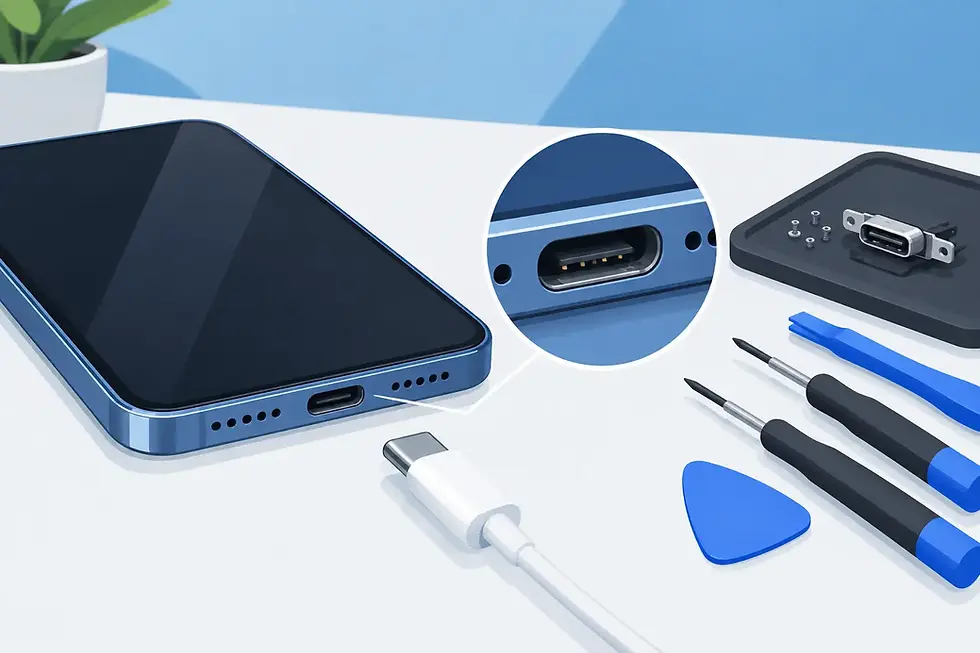
Pocket lint is another common cause. A charging port can look clean but still be packed with debris that prevents the connector from seating fully. Avoid digging into the port with metal objects or forcing the cable. A damaged port can turn a simple charging problem into a larger repair.
Restart and Reset Only When It Makes Sense
A restart can clear a temporary software process that is burning through battery power. It is a quick, low-risk step worth trying when the drain starts suddenly.
A factory reset is different. It can help if software corruption is causing serious problems, but it is not a cure for an aged battery. Back up your data first, and do not reset your phone simply because its maximum battery capacity has declined. That number reflects physical battery wear, not a setting you can erase.
Battery Calibration: Helpful, but Often Misunderstood
You may see advice telling you to drain your phone to 0%, charge it to 100%, and leave it plugged in for hours. This does not restore battery health. In fact, repeatedly running a lithium-ion battery completely empty can add stress.
Calibration can occasionally help the phone estimate its remaining charge more accurately, especially if the percentage jumps around or the device shuts down unexpectedly. But it is not routine maintenance. If your phone consistently turns off at 20% or reports wildly inaccurate percentages, a technician can help determine whether the issue is calibration, software, or a failing battery.
For everyday use, partial charging is fine. You do not need to wait until the battery is nearly empty before plugging in. The best routine is the one that keeps your phone available without exposing it to unnecessary heat.
When a Battery Replacement Is the Better Answer
Settings changes are worthwhile, but they have limits. A replacement is usually the smarter solution when your phone has poor runtime every day, a low battery health reading, random shutdowns, significant overheating, or a swollen battery. The same applies if you rely on your phone for work, school, rides, payments, family coordination, or navigation and cannot keep it charged long enough to be dependable.
A quality battery replacement restores usable runtime without requiring you to replace a phone that otherwise works well. It can also resolve performance slowdowns caused by battery-related power management. The exact result depends on the phone model, software version, signal strength, screen use, and the condition of other components, but a new battery should not behave like one that is already worn down.
Choose professional service if you notice swelling, loose screens, excessive heat, liquid damage, or charging-port trouble. These symptoms can overlap, and replacing the battery without checking the rest of the device may miss the actual cause. A certified technician can inspect the battery, charging system, and device condition before recommending the right repair.
Get Your Phone Back to Lasting Through the Day
A weak battery is more than an inconvenience when your phone is how you work, communicate, and get around Atlanta or Gwinnett. IkePhones brings professional battery and device repair to your home, office, or another convenient location, so you do not have to lose time sitting in a repair shop.
If your phone is draining fast, shutting down early, or showing signs of a swollen battery, do not keep working around it. A proper diagnosis can tell you whether a few adjustments will help or whether a fresh battery is the dependable fix that gets your day moving again.


Comments