
Google Pixel Repair Atlanta That Comes to You

A cracked Pixel screen can turn a normal workday into a problem fast. A weak battery can leave you looking for an outlet before lunch. When you need Google Pixel repair Atlanta customers can schedule around real life, you should not have to lose more time driving to a shop and waiting in line. IkePhones sends a certified technician to your home, office, apartment, workplace, or convenient meeting location so you can get your phone working again where you already are.
Your Pixel handles calls, maps, payments, work messages, school updates, and family plans. When something fails, the goal is simple: get a dependable repair without adding another errand to your day.
Common Google Pixel Problems We Fix
Google Pixel phones are known for their cameras, clean Android experience, and useful everyday features. Like any phone, though, they can take a hard drop, wear down over time, or develop issues after exposure to moisture. A professional diagnosis helps separate a straightforward repair from a software setting, a failing accessory, or a more serious internal issue.
Screen damage is one of the most common reasons people call. You may see a spiderweb crack, black ink-like spots, flickering, colored lines, dead touch areas, or a display that stays dark even though the phone still vibrates. A damaged screen is more than a cosmetic issue. Cracks can worsen, sharp glass can be uncomfortable to use, and exposed areas may make the device more vulnerable to moisture and dirt.
Battery trouble is another familiar Pixel problem. If your phone drops from 40 percent to 10 percent quickly, shuts down unexpectedly, gets unusually warm, or no longer lasts through a normal day, the battery may be worn. Battery health naturally changes with charging cycles and age. In other cases, background apps, a recent software update, or poor cellular signal can contribute to faster drain. A technician can help identify whether a battery replacement makes sense before you assume the worst.
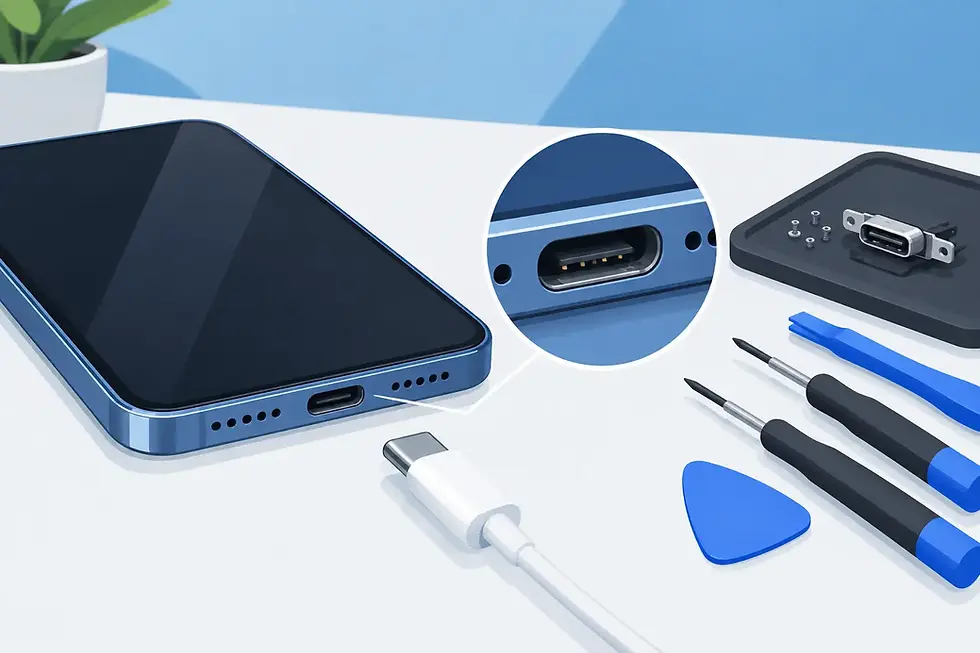
Charging problems can be just as disruptive. Your Pixel may charge only when the cable sits at a certain angle, charge slowly, disconnect repeatedly, or fail to charge at all. Lint packed into the charging port is sometimes the cause. A damaged cable or adapter can also look like a phone problem. If the port itself is worn or damaged, professional charging-port repair can restore a reliable connection.
Camera issues deserve attention, especially if you use your Pixel for work, deliveries, family photos, or scanning documents. Blurry images, a camera app that crashes, focus problems, a broken lens cover, or a camera that will not open can have different causes. The right repair depends on whether the trouble is with the camera hardware, glass, software, or impact damage around the device frame.
Google Pixel Repair in Atlanta Without the Shop Visit
The repair experience matters when your phone is essential. Taking time off work, fighting traffic, finding parking, and leaving a device behind can be harder than the repair itself. Mobile Google Pixel repair in Atlanta removes that friction. You choose a location that fits your schedule, and a technician comes to you.
That can mean a repair at your kitchen table while you manage the morning routine, at your office between meetings, or at your apartment after class. For business owners and busy teams, on-site service can also reduce downtime when a phone is needed for customer calls, scheduling, payments, or field coordination.
Mobile service is especially useful for a broken screen or battery issue because the device can often be repaired where you need it. Some problems, however, require more careful assessment. Significant water exposure, severe frame damage, repeated restarts, or a phone that will not power on may involve multiple components. A technician should inspect the device and explain the practical repair path rather than guessing from one symptom alone.
What Happens During an On-Site Pixel Repair Appointment
Getting help should feel straightforward. Start by describing the model of your Google Pixel and what is happening. Details such as whether the phone was dropped, exposed to water, recently updated, or only charges with certain cables can help narrow down the issue before the appointment.
At the appointment, the technician checks the device condition and confirms the repair needed. For hardware repairs, quality replacement parts and careful installation matter. A screen that looks good but has unreliable touch response is not a helpful fix. The same goes for a battery that does not hold a charge or a charging port that remains loose after service. Professional workmanship focuses on restoring the phone’s everyday function, not just making the problem look better for an hour.
After a repair, basic testing helps confirm that key features are working as expected. Depending on the service, that can include testing the display, touch response, charging connection, cameras, speakers, microphone, buttons, and wireless functions. If your Pixel had a screen or battery issue, it is also smart to check the phone’s settings and make sure your apps, notifications, and account access are all where you expect them to be.
When a Repair Is Better Than Replacing Your Pixel
A damaged phone can make replacement feel like the only option, but it often is not. A cracked display, worn battery, charging-port failure, camera issue, or broken back glass can frequently be addressed without replacing the entire device. Repair is often the right move when the phone otherwise meets your needs and you want to keep your photos, apps, settings, and familiar setup intact.
It depends on the condition of the phone. If there is extensive liquid damage, a bent frame, repeated motherboard-related failures, or multiple major issues at once, a technician may recommend weighing the repair against the device’s overall condition. Honest guidance matters here. The best next step is the one that gives you a dependable phone, not a rushed decision based on frustration.
Before any repair appointment, back up your Pixel if you still can. Use your preferred cloud backup, save important photos and files, and make sure you know your Google account sign-in information. Most screen, battery, and port repairs do not require erasing the device, but backups are always a smart habit when a phone has been dropped, exposed to water, or acting unpredictably.
Protect Your Pixel After the Repair
Once your phone is working again, a quality case and screen protector can help reduce the impact of the next accidental drop. They cannot prevent every type of damage, but they add useful protection for the screen, corners, and back glass. Keep the charging port clear of pocket lint, avoid forcing cables into the port, and use a reliable charging cable and adapter.
If your Pixel gets wet, do not keep charging it to see whether it still works. Power it down if possible, remove it from the charger, and have it assessed. Heat, rice, and repeated charging can make water damage worse. Fast action gives the device a better chance of recovery.
A broken Google Pixel should not force you to pause your whole day. Whether the issue is a cracked screen, fading battery, charging trouble, camera problem, or software concern, request an on-site repair appointment and get help where it is most convenient for you.


Comments